
Memory History Tool v1.0
Freeware
Vista / Win10 / Win7 / Win8 / WinXP
Vista / Win10 / Win7 / Win8 / WinXP
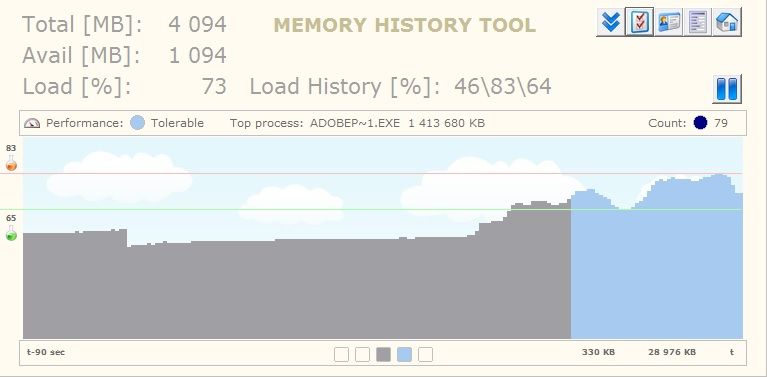
Memory History Tool monitors and records system memory usage in real time allowing you to discover what processes are using the most RAM, and other information.
Key Features:
Key Features:
- Shows system memory information
- Minimalistic design
- Easy to use, simple interface
- Total, available, memory load indication
- Minimum, maximum, average usage statistics
- Draws graph in real time
- Pause/Resume monitoring
- Multi-monitor support (recommended)
- Query and view current process list
- Automatically export process list to csv file
- Export one file or a series of files in csv format
- Can auto start with the OS
- See random animation in the program
- Customizable graphics
- Lightweight software, no installation needed
- Can run from external drives: usb, flash, etc.
- Faster loading time than Windows gadgets
- It is written from scratch, uses very little resources
- License free with no usage restrictions
- adware, spyware, virus free, no hidden messages, no advert
Skjermbilder:
HTML-kode for å koble til denne siden:
Lisens
Freeware1
Forfatterens hjemmeside
Besøk forfatterens nettsted
Dato lagt til
26.05.2016
Nedlastinger
0
Filstørrelse
328.34 kB
(<1min @ 1Mbps)
Støttede språk
English
Plattform
Vista / Win10 / Win7 / Win8 / WinXP1
1Lisens og informasjon om operativsystemet er basert på nyeste versjon av programvaren.
(Ingen anmeldelser enda)